C-Aire Compressor Builder
Guides users through C-Aire compressor options and generates a valid part number and specifications.
- Acumin Pro
- Source Sans 3
- Multi-step flow
- Spec decoder
- WordPress embed
Through Wieser Websites, I build calculators, configurators, lookup tools, and other web applications. They replace repeated spreadsheet calculations, chart lookups, and manual product selection.
Featured tool · C-Aire Compressor Builder
Guides users through C-Aire compressor options and generates a valid part number and specifications.
Matches competitor fire protection compressor models with comparable C-Aire models.
Matches system volume and required pressure with compatible C-Aire fire protection compressors.
Calculates total fire sprinkler system volume from pipe size and footage.
Uses the valve model and static water pressure to provide the manufacturer's recommended system air pressure range.
Analyzes compressor cycle counts and run-time data to help identify possible pump or system issues.
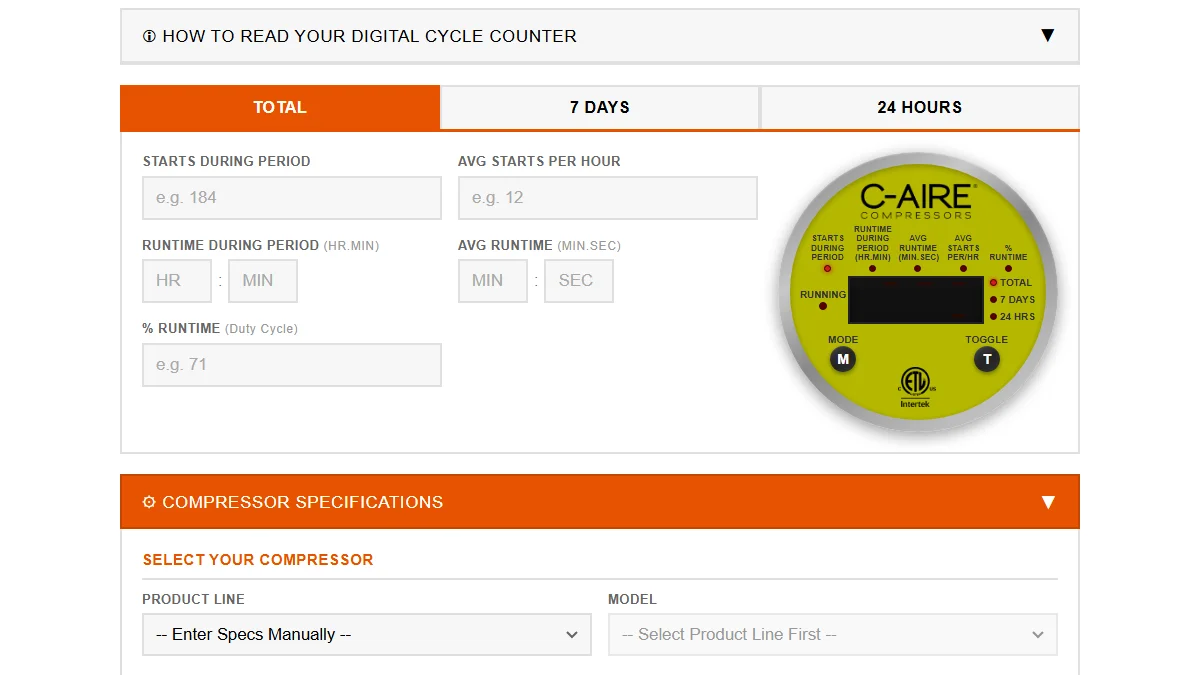
Each tool uses the same formulas, charts, and product data the business already relies on. The information is easier to access and use online.
Users should know what to enter, what the result means, and what to do next. I keep labels, units, validation, and result explanations straightforward.
The design accounts for where the tool will be used, whether that is on a phone in the field, during a sales call, or inside an existing website.
Every formula, coefficient, and lookup table is tied to a documented source. When it helps, the result also shows the calculation or reference used.
Wieser Websites tool pricing starts with the logic and interface complexity. Every tool includes source-aware implementation, responsive behavior, and 30-day free post-launch support.
$500
$1,000
A repeated spreadsheet calculation, product lookup, sizing chart, or selection process is usually a good candidate for a web tool.
Tools can be added to WordPress, Webflow, Next.js, or a standalone page. Each one is built around the company's existing formulas, charts, product data, and update process.
Use the contact page to describe the calculation, chart, or manual process you want to move online.


